Learning & Development · Tom Stiller

Claude Code
101

Movember
MovemberLearning & Development
Agenda

Today

  • 01But Tom… why?
  • 02Examples — what it can build
  • 03The journey begins
  • 04Step 1 — VS Code and the Claude extension
  • 05Noggin
  • 06Homework & what 102 covers
Acknowledgement of Country
Movember acknowledges the Traditional Custodians of Country throughout Australia. We recognise the continuing connection to land, waters, community and culture and the enduring knowledge systems of health, healing and care. We pay our respect to Elders past and present, and extend that respect to all Aboriginal and Torres Strait Islander peoples today.
Men in MindGrown by the Movember Institute
Claude Code 101
Press → to play · 27 sec · has sound
But Tom…
why?
Examples

What it can build

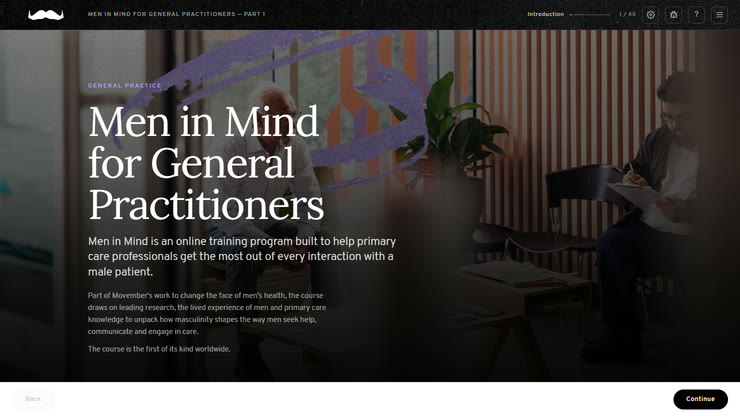
Men in Mind for GPs, the module hero screen
eLearning
01
Presentations
02
Games
03
Animations and video
04
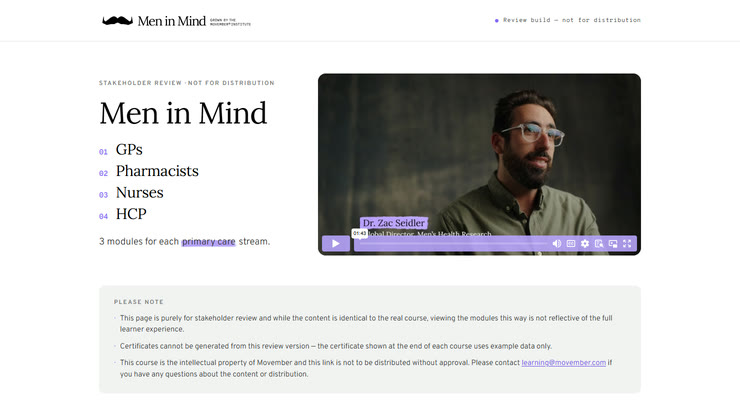
The Men in Mind all-versions review site
Websites
05
Pretty much anything…
06

Claude Desktop is the architect.

Claude Code is the builder.

Claude Design is the interior decorator.

A VERY smart person who hates analogies
The Journey

The journey begins

Let’s go!
STEP 1Setup

VS Code — and the Claude extension

01
Open VS Code
02
Click the Extensions Button
03
Search for Claude (Anthropic) and Install
Noggin

Give it a memory.

Out of the box, every session starts from nothing. Noggin is the bit that remembers — so the second conversation is better than the first.

01The problem

You explain your project, your preferences and your standards… and then you close the window and it’s gone.

02What it does

At the end of a session it banks what mattered. At the start of the next one, it hands it back.

03Getting it

Check the chat, follow the link.

What are we calling
your Noggin?

Examples

BillyBigBrain · The Tip · MindScape · Chungus Humungous…

Between now and 102

You have three tasks

01Swap over

Start using Claude Code INSTEAD of Claude Desktop.

02Ask for the receipt

Before the next session, ask your Claude Code to write a bullet point list of everything you did in the first week.

03Pick a project

Decide on a simple project to tell the group about next time. You don’t have to start the project, just decide what it is!

Examples a presentation deck, a data comparison tool, a game, a learning activity, an animation, a process automation… there are NO WRONG ANSWERS.

Till next time

102 will cover…

01Show and Tell
02GitHub
03Design Systems
04Tailoring to You
Bring what you built. See you at 102.
1 / 1
← → navigate · N notes · F fullscreen · ? help
Presenter notes

Keyboard

Next / build
Back
First / last slideHomeEnd
Presenter notesN
FullscreenF
Close thisEsc